If you’re holding onto an old iPhone 7 like it’s a trusty road trip companion that’s seen better days, and lately it’s dying faster than a phone left in the sun at a tailgate, you’ve probably asked yourself: “Can I just swap the battery at home?” Let’s cut through the YouTube clickbait and sketchy forum advice here, because I’m the iPhone 7 battery supplier behind the scenes—we make the exact parts people are fumbling to replace their old phones with, and I’ve heard every myth, every horror story, and every “I ruined my phone” tale from folks who tried DIY fixes and messed it up. iPhone 7 Battery
First off, let’s get one thing straight: The iPhone 7 isn’t designed to be taken apart like a Lego set. Apple built it with that super tight, unibody design for a reason—they don’t want random people prying into its guts and breaking something that costs way more to fix than the battery itself. But that doesn’t mean you can’t do it safely. I’ve seen so many people go into this thinking it’s as easy as swapping a AA battery, and then they end up with a cracked display, a loose camera, or even a battery that swells and damages the inside of the phone because they cut a ribbon cable wrong. That’s where the real risk comes in—not the battery itself, but the tiny, fragile bits inside that Apple never intended you to touch.
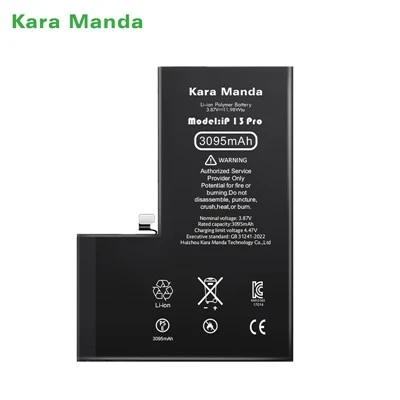
Let’s talk about the battery part, since that’s my lane. A lot of DIYers buy cheap off-brand batteries on Amazon or eBay for $5, and those are the ones that cause problems. We supply iPhone 7 batteries that meet Apple’s exact specifications—same capacity, same chemical makeup, same safety certifications. The cheap ones? They’re often undercapacity, meaning they hold half the charge they’re supposed to, or even worse, they use faulty lithium cells that can swell over time, push against the display, and crack it, or even become a fire hazard. I’ve had emails from customers who ordered that cheap $5 battery from a random seller, tried to install it, and the battery was so big it wouldn’t fit—so they had to force it, and now their display is bulging. Don’t get me wrong, I’m not saying all third-party batteries are bad, but you’ve got to source them from a reputable supplier, which is exactly what we are.
Now, let’s break down the actual steps of a DIY iPhone 7 battery swap, because that’s the part no one talks about clearly. First, you need the right tools: a pentalobe screwdriver (the tiny star one Apple uses on old iPhones), a plastic spudger (never use a metal screwdriver—you’ll scratch or crack the frame), a pair of tweezers, and a suction cup. That’s the basic stuff, but even with that, it’s trickier than it sounds. The display is glued shut to the frame, so you’ve got to pull it up gently—too hard, and you’ll break the display cable that connects it to the logic board. On the iPhone 7, that cable is super thin, and if you tear it, you’re looking at a $150+ repair, which is way more than a new battery costs.
Next, there are three tiny Phillips screws holding the old battery in place, and then a tiny adhesive strip that’s holding it down. Here’s the thing: those adhesive strips are designed to be pulled out slowly, but if they break, you’ve got to pry the battery loose with that spudger. That’s where a lot of people mess up—prying too hard and puncturing the lithium battery inside. Once a lithium battery is punctured, it’s useless, but also a safety risk. I’ve had a few customers send back old batteries that they punctured during removal, and they had to send their whole phone to a repair shop to get it fixed because the puncture caused corrosion on the logic board.
Wait, but let’s talk about the upsides here, because it’s not all doom and gloom. If you do it right, swapping the battery at home saves you so much money. A new battery from Apple would set you back like $49, but that’s if you mail it in or go to a store. A DIY battery from us is way cheaper—like $15 for a high-grade, certified battery—and you can do it on your couch in an hour, if you’re careful. But here’s the key: you’ve got to follow every single step exactly, no skipping parts. Don’t rush the adhesive strip pull, don’t use metal tools, and make sure you line up the new battery perfectly before screwing it in.
A lot of people ask me if the “True Tone” thing is affected by a new battery, but for the iPhone 7, that feature doesn’t exist—True Tone came later with the iPhone 8. So that’s not a problem here. The only thing you might run into is if the new battery isn’t calibrated properly. Wait, what does that mean? After you install a new battery, you should drain it all the way down to 0% and then charge it to 100% without stopping, so the phone learns the new battery’s capacity. A lot of DIYers skip that step, and then their phone acts like the battery is still bad, even though it’s brand new. That’s a simple fix, but it’s easy to forget when you’re excited to get your phone back to normal.
Now, let’s get real about the common mistakes. I’ve compiled a list of the top ones I hear about, just from our customers and the messages we get. Number one: using the wrong tools. Most people don’t have that tiny pentalobe screwdriver, so they use a regular Phillips or a flathead, and they strip the screws. Once a screw is stripped, you can’t get it out without special tools, and again, that’s more money. Number two: pulling the display too hard. The display cable is right there under the display, and if you yank it, you tear it, and your phone becomes a fancy paperweight. Number three: buying cheap, uncertified batteries. I can’t stress this enough—those $5 batteries aren’t worth the risk. They might die in a month, or swell, or even cause damage that ruins your whole phone. We only supply batteries that are tested to meet industry safety standards, same as the ones Apple uses (just not made by Apple, which is why they’re cheaper).
So, putting it all together: Can you replace the iPhone 7 battery at home? The short answer is yes, if you’re careful, have the right tools, and source a good battery. The long answer is: it’s doable, but it’s not as easy as the 2-minute YouTube videos make it look. I’ve watched those videos, and half the time they skip over the part where the adhesive strip breaks, or they use tools that a regular person doesn’t have. If you’re comfortable taking apart small electronics, following instructions step by step, and not rushing, then go for it. But if you’re the type who gets frustrated when something doesn’t work on the first try, or you’ve never handled tiny, fragile parts before, maybe take it to a pro. Because one small mistake can cost you way more than saving $30 on a battery.
Now, if you are thinking about giving it a shot, let’s make sure you get the right battery. We specialize in iPhone 7 batteries, so we know exactly what works for your phone. We send each battery with a free set of tools, and we include a step-by-step guide with photos, not just text, so you can see exactly what to do at every step. No sketchy video that cuts away when things get complicated—just clear, simple instructions that even a beginner can follow. And all our batteries have a 1-year warranty, so if something goes wrong (not because you messed up, but because of a factory defect), we’ll replace it no questions asked.
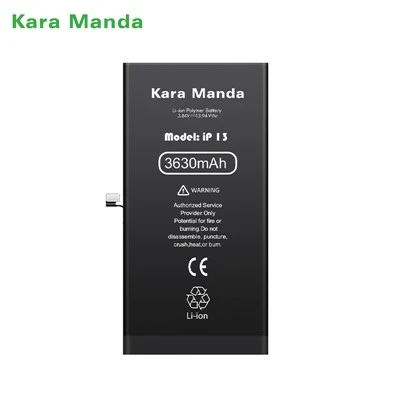
If you’re ready to get a new battery and get your iPhone 7 back to holding a full charge all day, or if you have questions about sourcing certified iPhone 7 batteries for your repair business, feel free to reach out to our team to connect and discuss your needs.
iPhone XR Battery References: Apple Support (iPhone 7 Battery Service), Consumer Reports (DIY Phone Repair Safety), Lithium-Ion Battery Safety Standards (UL 1642)
Huizhou Kara Manda Technology Co., Ltd.
Huizhou Kara Manda Technology Co., Ltd. is one of the most professional iphone 7 battery manufacturers and suppliers in China. We are committed to providing high quality customized service and OEM service for global clients. If you’re going to wholesale bulk CE approved iphone 7 battery made in China, welcome to get quotation from our factory. 1 year warranty is available.
Address: No.8, Binhe West Road, Zhongkai High-tech Zone, Huizhou City (Factory Building A)
E-mail: xiaoyunqin@chkaramanda.com
WebSite: https://www.karamandatech.com/
